Speech to text · On your PC · 100 languages
Free offline transcription for Windows
Turn recordings and meetings into accurate, editable transcripts on your own PC. Nothing is uploaded, there is no account, and it works without the internet.
Coming soon to the Microsoft Store · Windows 10 and 11
- No upload
- No account
- No tracking
- Works offline
At a glance
Everything happens on your PC
Transcribe brings the speech recognition to your recordings instead of sending your recordings to the speech recognition. That one decision changes what it costs, who can see your audio, and whether you need the internet at all.
How it works
From recording to clean text in three steps
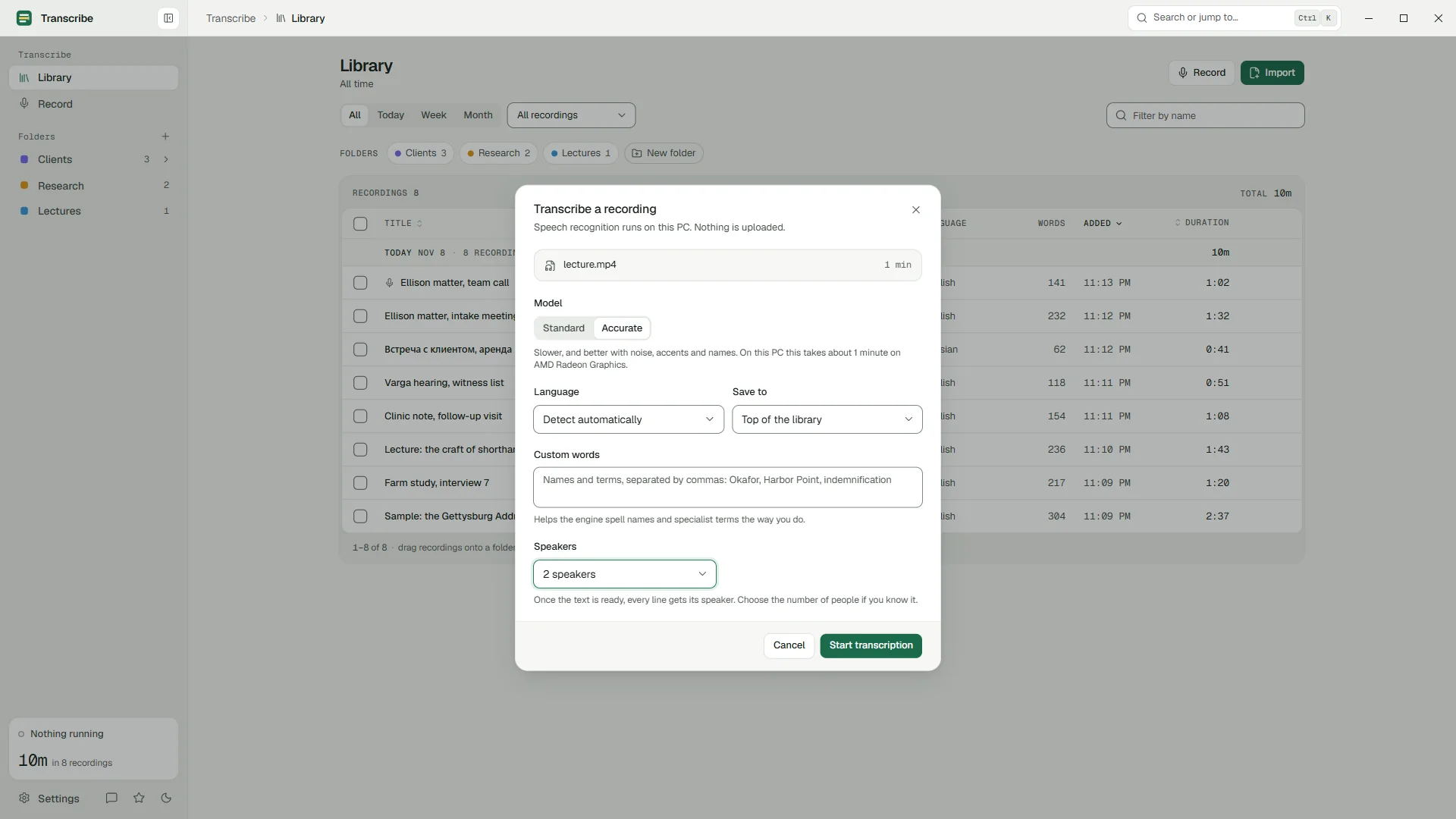
Drop in a file, or record
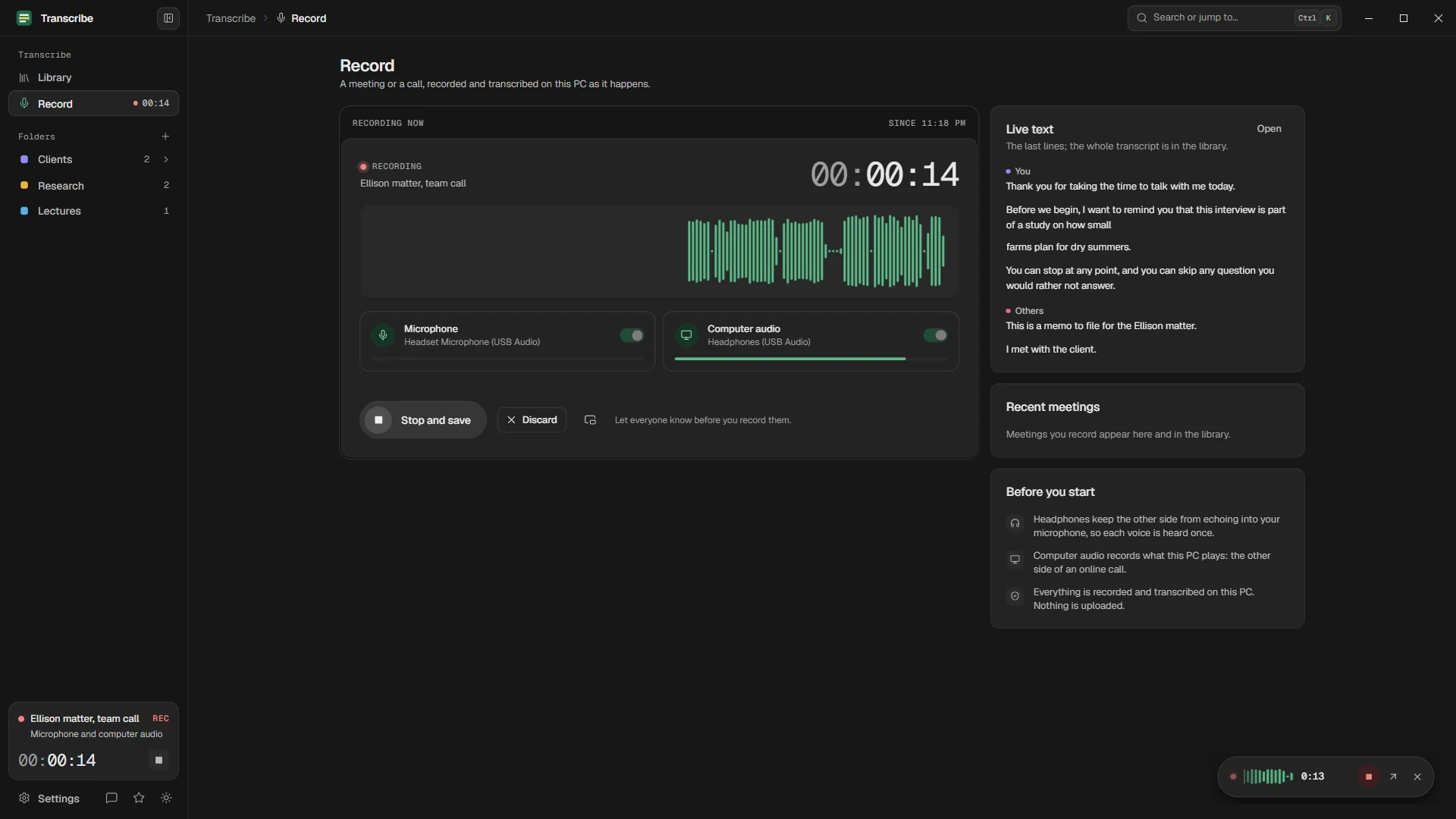
Drag audio or video onto the window, or choose files: MP3, M4A, WAV, WMA, FLAC, MP4 and more. With Pro, record a meeting or a call straight from your microphone and your PC's own sound.
Choose a model and transcribe
Standard is fast and free without limits. Accurate is slower and better with noise, accents and names. Pick the language or let the app detect it, say how many people speak, and carry on working: long jobs run in the background.
Check, fix and export
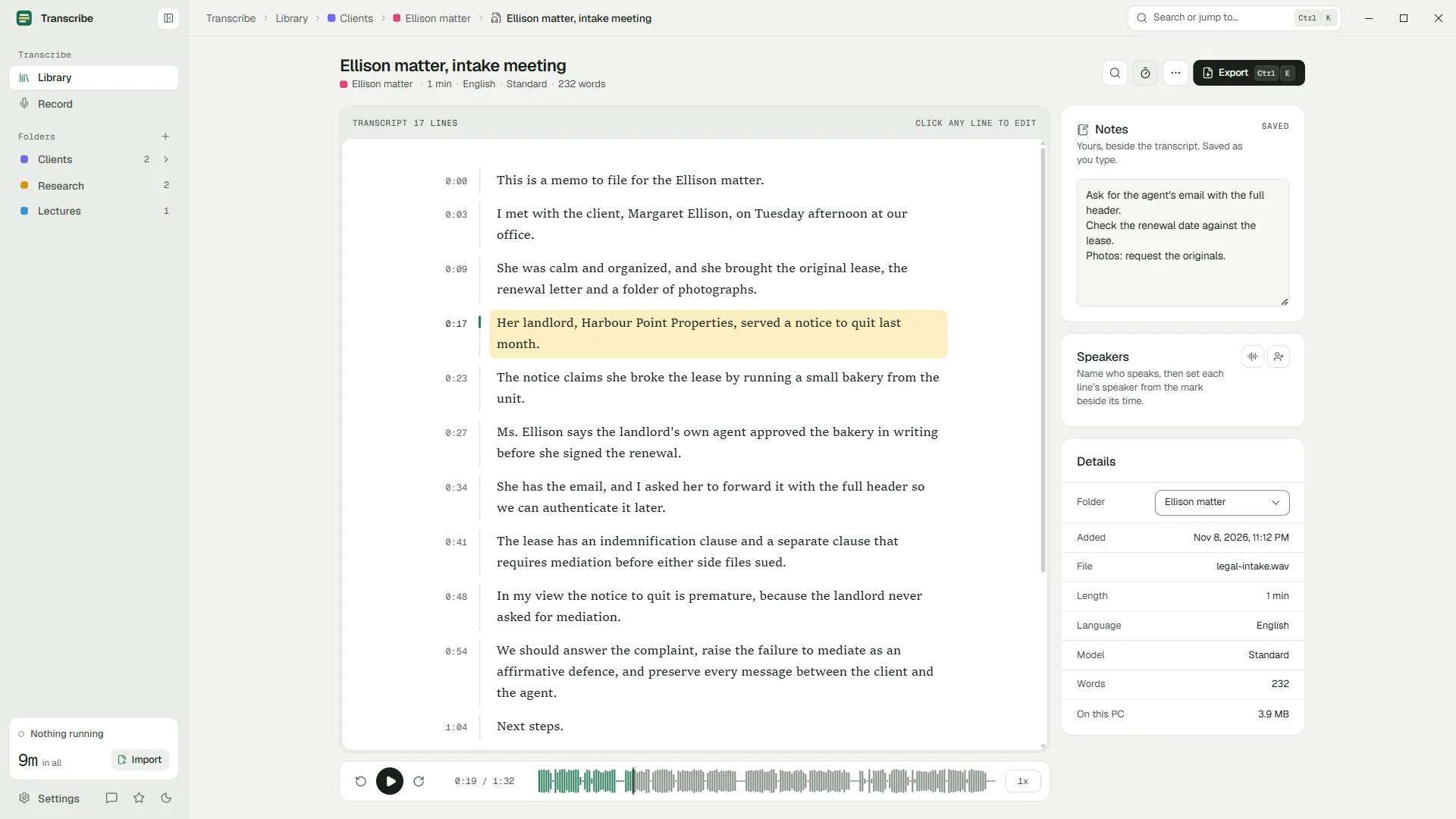
The transcript is tied to the audio. Click any line to hear it, fix it in place, replace a misheard name everywhere at once, then copy the text or export plain text and SRT or VTT subtitles. Pro adds Word and PDF.
Private by design
Your audio never leaves your PC
Cloud transcription services upload your recording to their servers. Transcribe runs the speech recognition on your own machine, so there is nothing to upload, no account to create, and no server that could keep a copy.
Your PC
Recordings, transcripts, notes and settings never leave this box.
The internet
- Microsoft Store: checks your plan and shows prices, through Windows' own Store service. No data of the app's own is sent.
- No server that receives your audio
- No account, no sign-in
- No analytics, telemetry, crash reports or ads
The app makes no connections of its own. It asks the Microsoft Store, through Windows' own Store service, whether you have Pro and what it costs, and that is all. The privacy policy lists every case, in plain words.
Features
Made for checking and correcting, not just for transcribing
Every automatic transcript is a draft. Transcribe is built around the part that takes your time: hearing a line again, fixing it, and moving on.
Tied to the audio
The line being played is highlighted and stays in view. Click a line or its time to play from there, at 0.75x to 2x.
Edit in place
Fix any line where it is. It saves itself, and undo and redo work across the whole transcript.
Find and replace
Fix a misheard name everywhere at once, then carry on reading.
Record meetings and calls Pro
From your microphone and your PC's own sound. The text appears a few seconds after people speak.
Who said what Pro
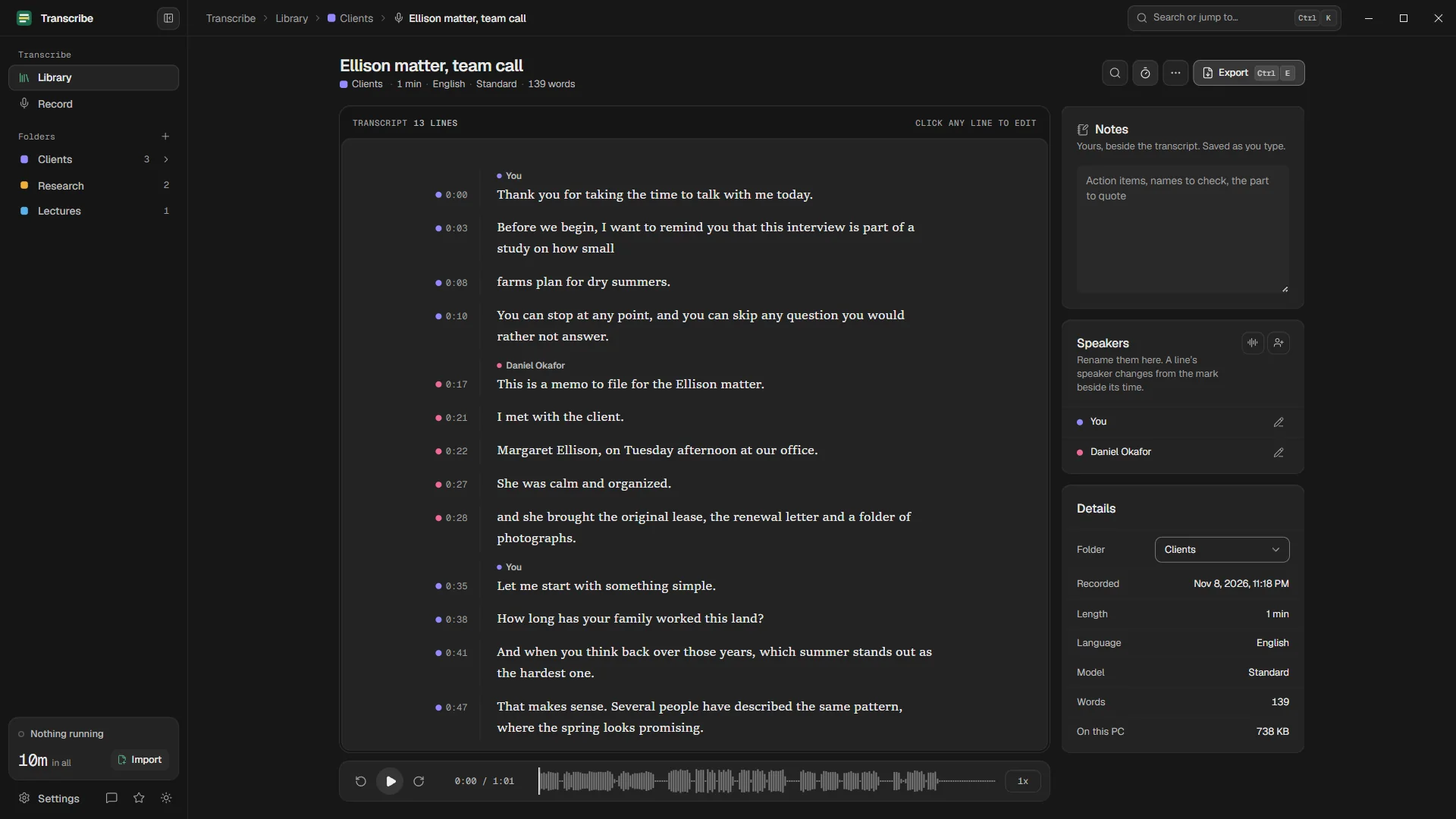
Speaker detection labels every line. Name the speakers once and every export follows.
Folders and notes
Folders and sub-folders keep clients, courses and projects apart. Notes sit beside each transcript.
Long recordings
Several hours work too. Jobs run in the background and continue after a restart.
Clean exports
Copy, plain text, SRT and VTT subtitles, with speaker names. Pro adds Word and PDF.
Search everything Pro
Search every transcript at once and jump to the moment it was said.
A look inside
Calm, fast, and made for long reading
The transcript reads like a page, the player sits below it, and your notes stay beside it. Light and dark, like Windows.
Speed and accuracy
Two models, measured on an ordinary laptop
Both models are OpenAI's Whisper, running in whisper.cpp on your PC. We timed them and counted their mistakes, and publish every run.
| Model | On integrated graphics | On the processor | Word error rate | Plan |
|---|---|---|---|---|
| Standard (Whisper small) | 17× real time: one hour in about 3.5 min | 3×: one hour in about 20 min | 2.0% | Free, without limits |
| Accurate (Whisper large-v3-turbo) | 2.5×: one hour in about 24 min | 1×: one hour in about an hour | 1.1% | 15 minutes free, unlimited on Pro |
Made for
For people whose recordings are confidential
Client meetings, interviews with sources, research participants, lectures: recordings that should not sit on someone else's server.
Lawyers and legal teams
Client meetings and dictations transcribed without sending privileged audio to a third party.
Read moreJournalists
Interviews transcribed on your laptop, so your sources stay between you and your notebook.
Read moreResearchers
Qualitative interviews transcribed on a university PC, the way most data management plans prefer.
Read moreStudents
Lectures and seminars into searchable notes, free with the Standard model.
Read morePodcasters and video makers
Transcripts for show notes and SRT or VTT subtitles for every episode.
Read moreMeetings
Record a meeting or a call and keep an exact, searchable record, with no bot in the room.
Read morePlans
Free for everyday transcription. Pro when you record meetings.
Free
$0forever
Everyday transcription with the Standard model, without limits and without an account.
Download for Windows- The Standard model without limits
- 15 minutes of the Accurate model
- 100 languages, detected automatically or chosen by you
- The editor tied to the audio, with find and replace
- Name speakers and set each line's speaker by hand
- Folders, sub-folders and notes
- Long recordings in the background
- Copy, plain text, SRT and VTT export
Pro Yearly 48% less
$49.99a year
About $4.17 a month, billed once a year by the Microsoft Store.
Upgrade inside the app, from any Get Pro link or Settings › Plan.
Everything in Free, and:
- Record meetings and calls with a live transcript
- Speaker detection: who said what, on your PC
- The Accurate model without limits
- Word (DOCX) and PDF export with a title block
- Search across every transcript and jump to the moment
- A queue for many files
- Custom words for names and terms
Pro Monthly
$7.99a month
The same Pro, month by month. Cancel any time in your Microsoft account.
Upgrade inside the app, from any Get Pro link or Settings › Plan.
Everything in Free, and:
- Record meetings and calls with a live transcript
- Speaker detection: who said what, on your PC
- The Accurate model without limits
- Word (DOCX) and PDF export with a title block
- Search across every transcript and jump to the moment
- A queue for many files
- Custom words for names and terms
Prices are in US dollars; the Microsoft Store shows the price in your currency before you buy. Subscriptions renew until you cancel them in your Microsoft account (account.microsoft.com/services). If a plan ends, nothing is deleted: transcripts and exports stay, and the Pro features lock until Pro is active again.
Offline or cloud
Why offline wins for private recordings
Cloud services are quick and convenient. For recordings you are responsible for, the trade-off looks different.
| Transcribe - Offline | A typical cloud service | |
|---|---|---|
| Where your audio goes | Nowhere. It stays on your PC | Uploaded to the provider's servers |
| Account | None | Required |
| Internet connection | Not needed | Needed for every file |
| Price | Free, or a flat Pro subscription | Usually per minute, or a monthly allowance |
| Who else can access it | Only people with access to your PC | Depends on the provider's policies and staff |
| Speed | Depends on your PC: see the benchmarks | Fast, if your upload is |
Questions
Questions people ask
Is Transcribe - Offline really free?
Yes. The Standard model has no limits, and Free includes 15 minutes of the Accurate model, the editor, folders, notes, and export to text and subtitles, with no account and no time limit. Pro is an optional subscription for meeting recording, speaker detection, the Accurate model without limits, Word and PDF export, search across every transcript, a queue and custom words.
Does it work without an internet connection?
Yes. The speech models are installed with the app, so transcription never needs the internet. The app only contacts the Microsoft Store to check your plan and show prices, and it remembers the Store's last answer so Pro keeps working while you are offline.
Is my audio uploaded anywhere?
No. Speech recognition runs on your PC with OpenAI's Whisper models in whisper.cpp. There is no server that receives audio, no account, no telemetry and no analytics. Exports are saved only where you choose.
How accurate is it?
Transcripts are made by Whisper, one of the most accurate speech recognition models available. On our test set of clean, scripted recordings, Standard got 2.0% of words wrong and Accurate 1.1%. Real recordings with noise, accents and people talking over each other make more mistakes, and like all automatic transcription it can occasionally write words that were not said. Check important passages against the audio: the editor makes that quick. See the benchmarks.
Which languages does it support?
One hundred languages, detected automatically or chosen by you. Accuracy varies by language and is best in widely spoken ones.
Can it transcribe Zoom, Microsoft Teams or Google Meet calls?
Yes, with Pro. Transcribe records your microphone and your PC's own sound, so it works with any call app, and the text appears while people speak. No bot joins the call. Tell everyone that you are recording. How to transcribe online calls.
Can it tell who is speaking?
Yes. With Pro, speaker detection labels every line with its speaker, on your PC. On Free you can name the speakers and set each line's speaker by hand. Either way, names appear in every export.
What do I need to run it?
Windows 10 version 1809 or later, or Windows 11, 64-bit, and about 1 GB of disk space. 8 GB of memory is recommended for the Accurate model. A graphics card with a Vulkan driver makes transcription much faster but is not required.
Is there a Mac, Linux or phone version?
No. Transcribe - Offline is a Windows app, made for Windows 10 and 11.
How do I cancel Pro?
In your Microsoft account, at account.microsoft.com/services, like any Microsoft Store subscription. If a plan ends, nothing is deleted: your transcripts and exports stay, and the Pro features lock until Pro is active again.
Your recordings stay on your PC.
Free to download. Transcribes without an account, without uploads and without the internet.
Coming soon to the Microsoft Store · Windows 10 and 11